The app
KORTLEN Mouse Studio
The app for your KORTLEN mouse. With it, you decide what each mouse button does.
Version 1.0 · Windows 10 and 11 · macOS 11 or later
How it works
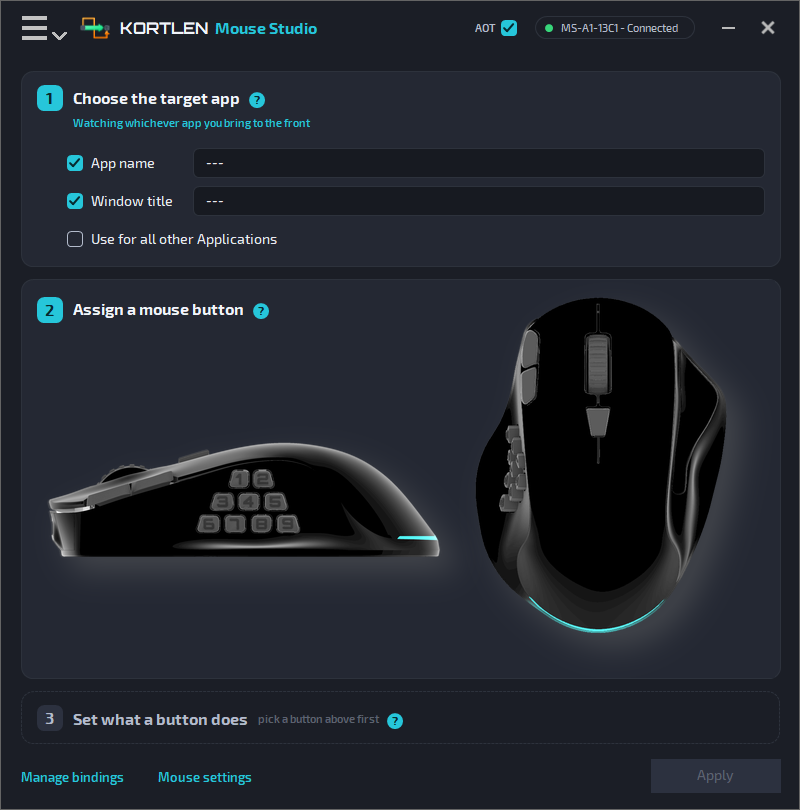
Three steps for each button
Choose the program
In which program the button works. Or in all programs.
Pick the button
Click a button in the pictures of the mouse. It lights up when you point at it.
Set its job
When the button acts, and what it does then. Click Apply, and it works.
Actions
What a button can do
- Press a key or a key combination
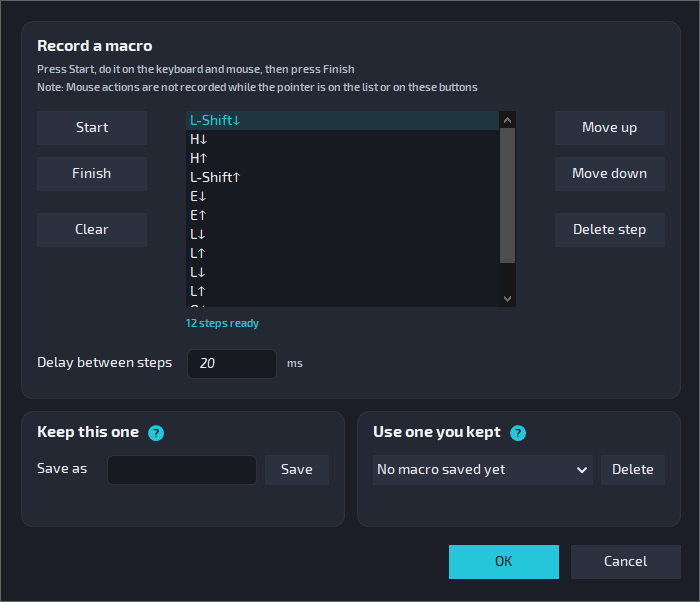
- Play a macro: a recorded row of key presses and clicks
- Open a program, a file or a folder, or run a script
- Jump the pointer to a point on the screen
- Control music and the volume
- Make the mouse faster or slower (DPI)
Programs and windows
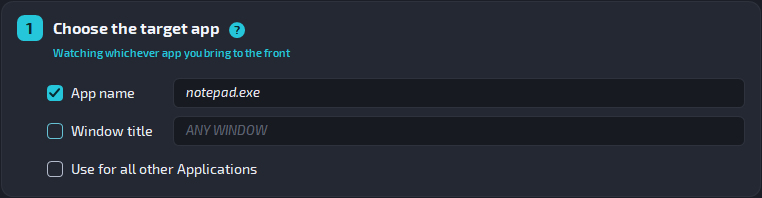
A job for each program, and even for each window
A binding can work in all programs, in one program, or only in windows with a certain title.
The title of a window often names the open file or website. So one button can do one job in one file, and another job in another file of the same program.
Everywhere else, the button keeps its normal job.
Events
Two or three jobs on one button
For example: press a button once to copy, and twice to paste.
Press
The button acts when you press it.
Release
The button acts when you let it go.
Double and triple press
Two or three quick presses do another job.
Updates
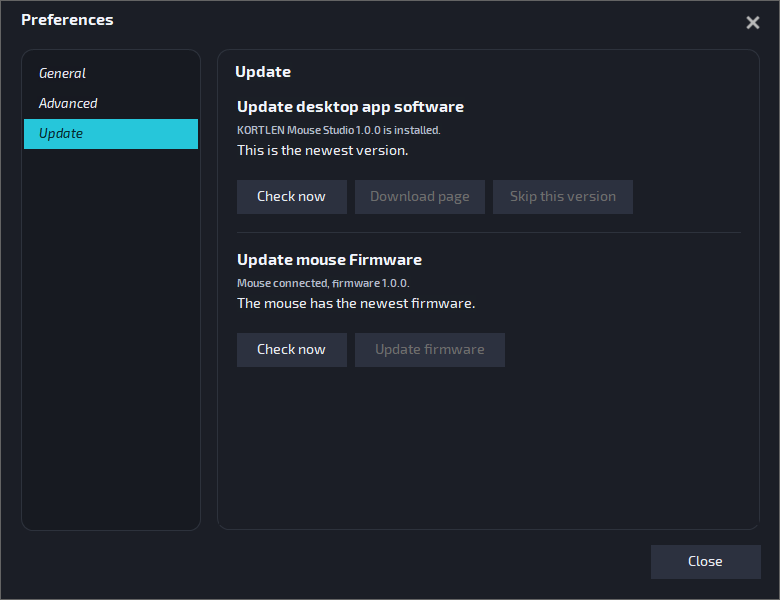
New versions come through the app
When a new version is out, a small green dot appears next to the app's name. New firmware for the mouse comes through the app too: Options → Preferences → Update.
Download
KORTLEN Mouse Studio 1.0 for Windows
For Windows 10 and Windows 11.
The download link follows.
KORTLEN Mouse Studio 1.0 for macOS
For macOS 11 or later, on Apple silicon and Intel.
The download link follows.
What you need
- A KORTLEN mouse
- A computer with Windows 10 or 11, or macOS 11 or later
- A free USB port
User manual
Install, first steps and every function. In English and German.
Open the manual →