KORTLEN Mouse Studio
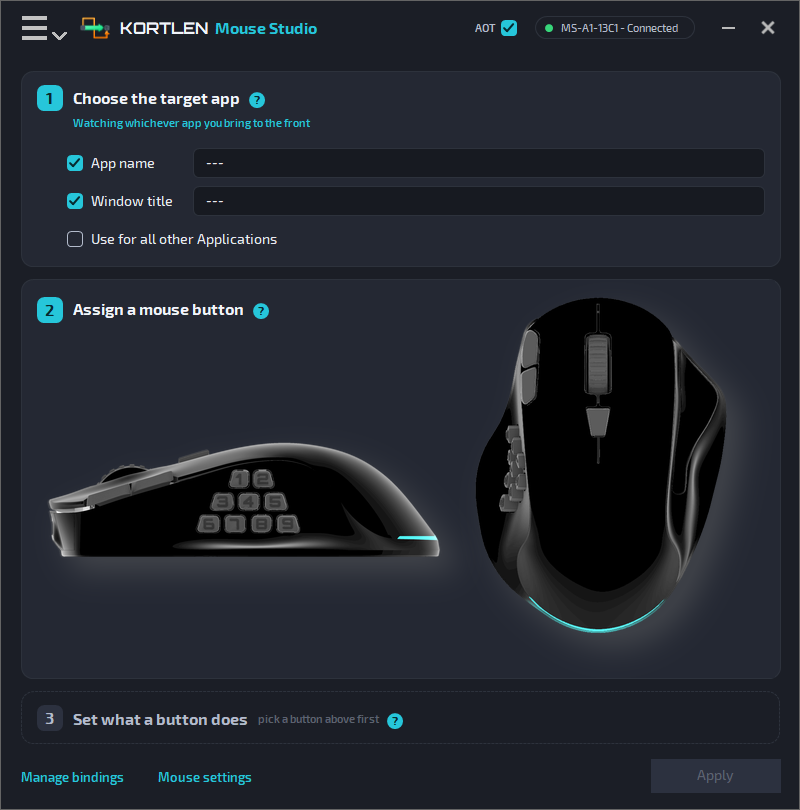
KORTLEN Mouse Studio is the app for your KORTLEN mouse. With it, you decide what each mouse button does.
A button can:
- press a key or a key combination, like Ctrl+C
- play a macro: a recorded row of key presses and clicks
- open a program, a file or a folder
- control music and the volume
- make the mouse faster or slower (DPI)
A button can do a different job in each program. For example, S1 can save your work in LibreOffice and open a new tab in Firefox.
A button can even do a job on one website, in every browser. For example, set up your YouTube buttons once, and they work in Firefox, Chrome and Edge. See YouTube buttons in every browser.
There is no limit: make as many macros as you like, for as many programs as you like.
Not sure which button should do what? Read our suggestion.
Most jobs run inside the mouse itself. So they also work in games and in protected windows.
What you need
- A KORTLEN mouse
- A PC with Windows 10 or Windows 11
- A free USB port
Chapters
- 1. Install and connectStart the app and plug in the mouse.
- 2. Quick startYour first button, in two minutes.
- 3. The main windowThe three steps, one by one.
- 4. EventsWhen a button acts: press, release, double or triple hit.
- 5. ActionsWhat a button can do.
- 6. MacrosRecord, edit and keep macros.
- 7. Manage bindingsSee and change everything you set.
- 8. Mouse settingsDPI, speed, scrolling and light.
- 9. PreferencesStart with Windows, colours and administrator rights.
- 10. UpdatesNew versions of the app and the mouse.
- 11. TroubleshootingWhen something does not work.
- 12. Support and AboutAsk us, and see your versions.
About this manual
This manual is for KORTLEN Mouse Studio version 1.0. You can choose another version or language at the top of the menu on the left.
In the app, you open this manual with Help → User Manual.
Names you see in the app are written in bold, like Apply. Keys on the keyboard look like this: Enter.