KORTLEN Mouse
Every button.
Many jobs.
In every program.
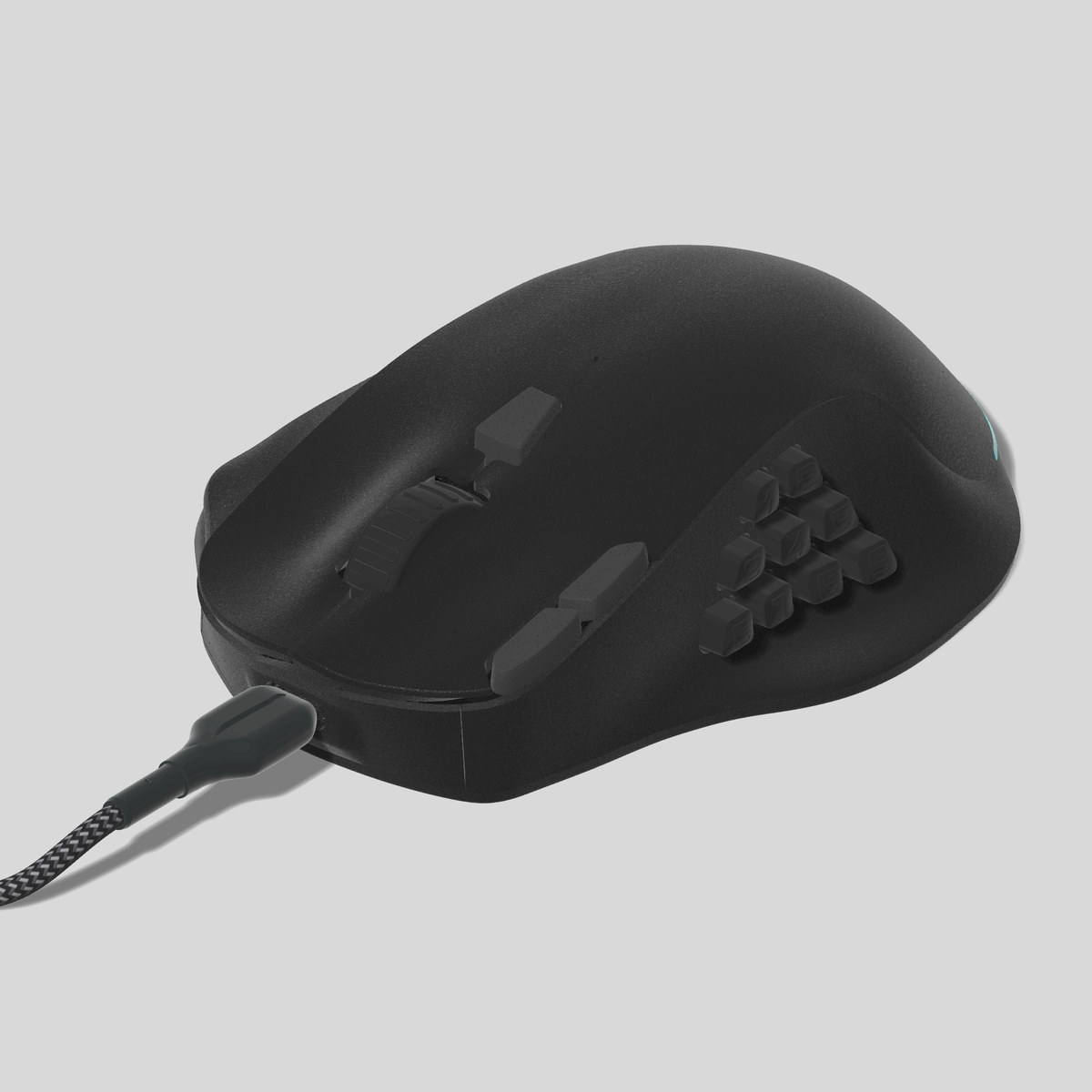
A mouse with 9 side buttons, and an app that lets you decide what each button does: in each program, and even for a single file or website.
Why KORTLEN
Your buttons, your way
9 side buttons
Plus Click, R-Click, Middle, the wheel and extra buttons on top. Each one can get a new job.
A job for each program
One button can make text bold in an editor, and open a new tab in a browser.
Macros without limit
Record key presses and clicks once, and play them with one button. Make as many as you like.
A job for each window
A button can even tell the windows of one program apart, by their title. So it can do one job in one file or website, and another job in another.
The app
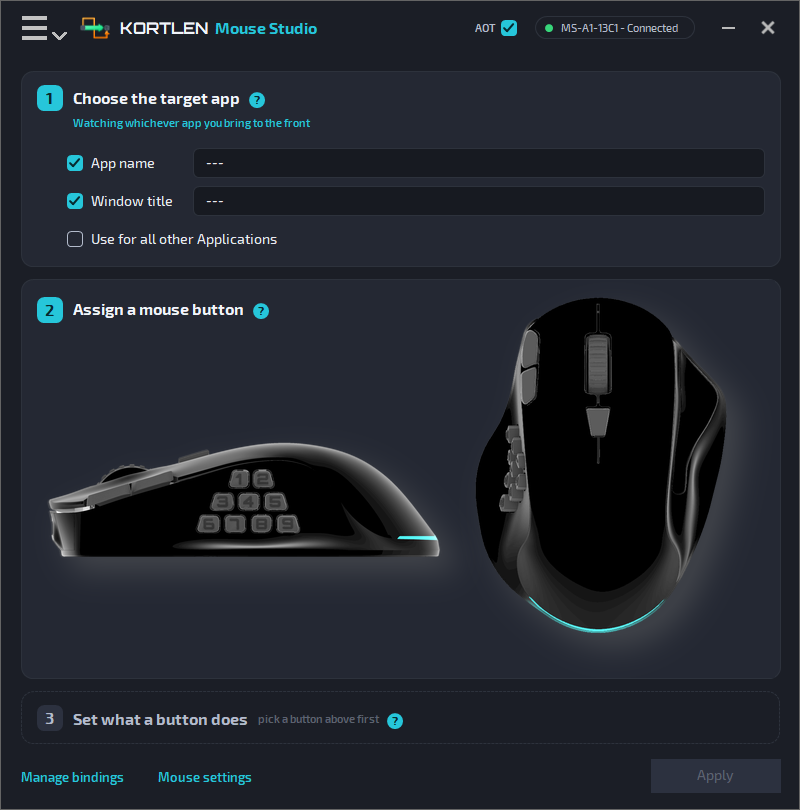
KORTLEN Mouse Studio
With the app, you decide what each mouse button does. A button can:
- press a key or a key combination, like Ctrl+C
- play a macro
- open a program, a file or a folder
- control music and the volume
- make the mouse faster or slower (DPI)
For Windows 10 and 11, and macOS 11 or later.
Easy to set up
Three steps for each button
Choose the program
Where the button should work: in one program, in one window, or everywhere.
Pick the button
Click the button in the picture of the mouse.
Set its job
When it acts, for example on a double press, and what it does.
Get your KORTLEN mouse
Order it from us by email.